All PDF Tools One Place
Tidy, merge, shrink, convert, lock, and tweak your documents — PDF Studios does it right in your browser, privately and for free.
What is PDF Studios?
PDF Studios is a comprehensive suite of free, online PDF tools designed to make document management accessible to everyone. We provide 14 powerful tools that let you tidy, merge, shrink, convert, lock, and tweak PDF files directly in your browser—no software installation required.
Unlike traditional PDF software that requires expensive licenses and complex installations, PDF Studios leverages modern web technologies to deliver professional-grade PDF processing entirely in the cloud. This means you can access our tools from any device, anywhere, without worrying about compatibility issues or storage limitations.
Our platform is built on a foundation of privacy and security. We understand that your documents often contain sensitive information, which is why we've designed our tools to process files locally in your browser whenever possible. For operations that require server-side processing, we use encrypted connections and automatically delete files immediately after processing.
Whether you're a student merging lecture notes, a professional compressing reports for email, or a business protecting confidential contracts, PDF Studios provides the tools you need to work efficiently with PDFs. Our mission is to democratize access to powerful document tools, ensuring that everyone—regardless of budget or technical expertise—can handle PDFs with confidence.
Our Mission
To democratize access to powerful PDF tools by making them free, private, and accessible to everyone, regardless of technical expertise or financial resources.
We envision a world where document management is seamless, secure, and available to all—where students, professionals, and businesses can handle PDFs without barriers.
What Makes PDF Studios Different
Many online PDF tools force you to upload files to a server, where they sit on someone else's computer before you can download the result. At PDF Studios, we take a different approach. Our tools are built to process your files directly in your web browser whenever possible, which means your documents stay on your device from start to finish. There is no queue, no upload delay, and no exposure to third-party servers. For the few operations that need extra processing power, we pass only the minimum data needed over an encrypted connection and delete it the moment the task completes.
Accessibility is at the heart of everything we do. You do not need to download a large installer, create an account, or remember another password. PDF Studios works on Windows, macOS, Linux, Chromebooks, and mobile browsers. As long as you have a modern browser and an internet connection, you can use every tool we offer. This makes PDF Studios ideal for teams that work across different devices, students using shared computers, and professionals who need a reliable tool while traveling.
Finally, we believe powerful tools should not come with hidden costs. Every feature on PDF Studios is free to use, with no watermarks, no trial limits, and no surprise paywalls. We are funded by advertising, which allows us to keep the core tools open to everyone while continuing to improve the platform. We are committed to transparency, and we will never lock your documents behind a subscription or ask for payment to download your files.
How It Works
Get started with PDF Studios in three simple steps
Upload Your File
Select the PDF file you want to process from your device. You can also drag and drop files directly onto the upload area.
Configure Options
Choose your preferred settings for the operation. Adjust compression levels, select pages to merge, or set security options as needed.
Download Result
Your processed file is ready instantly. Download it to your device and use it however you need. No waiting, no delays.
Why Choose PDF Studios?
Built for simplicity, speed, and privacy
PDF Studios
- 100% free, no hidden fees
- No account or signup required
- Files processed in browser (private)
- Works on any device with browser
- Unlimited usage, no file limits
- No software installation needed
Traditional PDF Software
- Expensive licenses ($100-$500+)
- Account creation and login required
- Files uploaded to servers (privacy risk)
- Requires specific OS and hardware
- File size and daily usage limits
- Complex installation process
Trusted by Users Worldwide
Our tools help thousands of users process documents every day
Built with Modern Technology
PDF Studios leverages cutting-edge web technologies to deliver professional-grade PDF processing entirely in your browser. Our architecture is designed for speed, security, and accessibility.
At the core of our platform is WebAssembly (Wasm), a revolutionary technology that allows code written in languages like C++ and Rust to run in web browsers at near-native speed. This enables us to perform complex PDF operations—such as compression, OCR, and format conversion—directly on your device without server uploads.
We use industry-standard libraries including PDF-Lib for document manipulation and PDF.js for rendering. These libraries ensure compatibility with all PDF versions and produce professional-quality output that meets the strictest standards.
For advanced operations that require additional processing power, we employ Ghostscript for optimization and Tesseract for optical character recognition. These powerful tools are executed in secure, isolated environments to protect your data while delivering exceptional results.
Our entire application is built with Next.js and React, providing a fast, responsive, and modern user experience. The framework ensures quick page loads, smooth interactions, and seamless performance across all devices—from desktop computers to mobile phones.
Technology Stack
Your PDF Toolkit, Ready When You Are
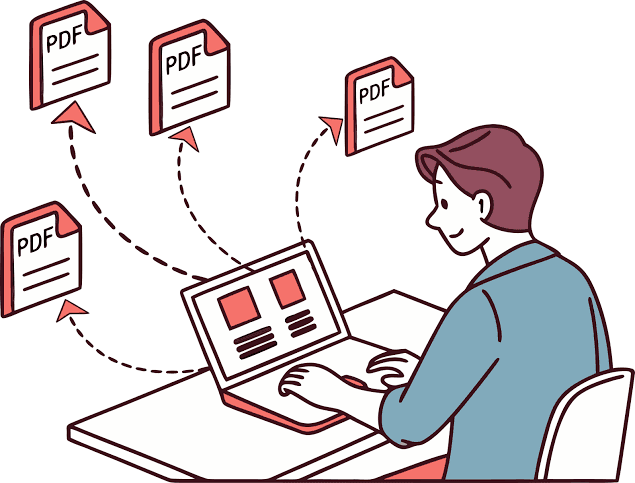
PDF Studios puts 14 practical PDF tools at your fingertips, all inside your browser. There is nothing to install, no account to create, and no waiting around. Whether you need to tidy, merge, shrink, convert, lock, or tweak a file, you can finish the task and move on.
- 1
Tidy & Merge
Combine pages, reorder documents, and clean up scanned PDFs in moments.
- 2
Shrink & Convert
Compress files for easy sharing or turn PDFs into editable formats.
- 3
Lock & Tweak
Add passwords, signatures, watermarks, and more without leaving pdfstudios.in.
- 4
Secure & Share
Use password protection, permissions, and digital signatures to keep your PDFs safe before sending them out.
- 5
Search & Extract
Run OCR on scanned pages and extract text so old documents become searchable and reusable.
- 6
Rotate & Watermark
Adjust page orientation, add branded watermarks, and prepare files for print or review in seconds.
From invoices and contracts to lecture notes and resumes, PDF Studios covers the full document workflow. No installs, no waiting — just open your browser and get the file you need.
Popular PDF Workflows
Most PDF tasks involve more than one step. These are the multi-step workflows our users run every day — each one takes just a couple of minutes from start to finish.
Prepare a document for email
Large files get rejected by email servers. Compress your PDF first, then split it into parts if it is still too big for the attachment limit.
Read the compression guide →Assemble a report or portfolio
Merge cover pages, body chapters, and appendices into one file, then rotate any sideways pages and add a watermark for branding.
Read the merge guide →Secure a confidential file
Redact sensitive details in the PDF editor, then protect the final document with a password before sharing it.
Read the security guide →Turn scans into editable text
Run a scanned document through OCR to extract searchable text, then convert it to an editable format with PDF to Word.
Read the conversion guide →Why Browser-Based Beats Desktop Software
Traditional PDF software costs money, needs installation, and ties you to one machine. Here is how PDF Studios compares.
Zero Installation
No downloads, no updates, no disk space. Open your browser on any device — Windows, Mac, Linux, Chromebook, or mobile — and start working immediately.
No Subscriptions
Desktop PDF suites can cost hundreds of dollars per year. PDF Studios gives you the same everyday tools — merge, split, compress, convert, sign — completely free.
Private by Design
Many tools run entirely inside your browser, so your documents never leave your device. For the rest, files are deleted automatically after processing.
Formats We Work With
PDF Studios handles conversions in both directions — documents, images, and scanned files.
Documents → PDF
Word (.doc, .docx) and plain text files convert cleanly to polished PDFs ready to share or print.
PDF → Documents
Turn PDFs back into editable Word files so you can reuse content without retyping it.
Images → PDF
JPG, PNG, BMP, GIF, TIFF, SVG, WebP, and HEIC images combine into a single PDF in the order you choose.
PDF → Images
Export any PDF page as a high-quality JPG for presentations, thumbnails, or image editors.
Understanding the PDF Format
PDF — Portable Document Format — has been the world's document standard for three decades. Knowing how it works helps you choose the right tool for the job.
Why PDF became the standard
A PDF captures fonts, images, and layout exactly as the author intended, so a file looks identical whether it is opened on a phone in Tokyo or a printer in London. That reliability is why contracts, tax forms, academic papers, and official records are distributed as PDFs — the format is an open ISO standard (ISO 32000), so no single company controls it.
Text vs. scanned PDFs
Not all PDFs are equal. A digitally-created PDF contains real, selectable text; a scanned PDF is just a photograph of pages. That is why our OCR tool exists — it reads the image and produces a searchable, copyable text layer.
What lives inside a PDF
Behind the scenes, a PDF is a structured container: text streams, embedded fonts, vector graphics, raster images, form fields, annotations, bookmarks, and metadata. Tools like our PDF editor work directly with these objects — highlighting text, redacting content, or adding signatures without rebuilding the document from scratch.
Why file size varies so much
Two PDFs with the same page count can differ in size by 100× — embedded fonts, uncompressed images, and hidden data all add weight. Our compressor targets exactly those elements to shrink files with minimal visible quality loss.
What Happens to Your File
Transparency matters. Here is the actual journey a document takes through PDF Studios — depending on which type of tool you use.
In-browser tools
- You drop a file onto the page — it is read by your browser, not uploaded.
- JavaScript and WebAssembly process the document using your device's own power.
- The result is generated locally and offered for download.
- Your file never touches our servers — we never see it, store it, or transmit it.
Server-side tools
- The file travels to our servers over an encrypted HTTPS connection.
- A dedicated worker processes it — for example, running OCR or a complex conversion.
- You download the result over the same encrypted channel.
- The original file is automatically deleted from our servers — we keep no archive.
Either way, your document is never sold, indexed, shared with advertisers, or used to train any model. Read the full details in our Privacy Policy.
Common PDF Problems, Solved
Almost everyone who works with documents hits these issues eventually. Here is what causes them — and which tool fixes each one.
“My file is too large to send”
Email limits are typically 20–25 MB. Images and embedded fonts are usually the culprit.
Fix with Compress PDF →“I can't copy text from this PDF”
The file is a scan — an image, not real text. Optical character recognition creates a selectable text layer.
Fix with OCR →“The file is locked and I own it”
Owner passwords restrict printing or copying. If you have permission to modify the file, you can remove the restriction.
Fix with Unlock PDF →“Pages are sideways or upside down”
Scanners and phone cameras often produce rotated pages. Rotating changes the page orientation flag without re-encoding content.
Fix with Rotate PDF →“I need to edit this PDF in Word”
PDFs are designed for viewing, not editing. Converting to Word reconstructs editable paragraphs, tables, and images.
Fix with PDF to Word →“I only need a few pages”
A 200-page report doesn't need to be sent whole — extract just the relevant pages or page ranges.
Fix with Split PDF →Better Documents: Quick Best Practices
A few habits that make every PDF you produce look more professional and work better for the people who receive it.
- 1
Compress before you share
A smaller file downloads faster, avoids email bounces, and uploads more reliably on slow connections.
- 2
Add bookmarks to long documents
Anything over 20 pages becomes dramatically easier to navigate with a bookmarked outline.
- 3
Redact — don't just cover — sensitive data
Drawing a black box over text leaves the text underneath intact. Proper redaction removes it permanently.
- 4
Password-protect confidential files
Contracts, medical records, and financial statements deserve encryption before they leave your hands.
- 5
Keep a searchable archive
Running scanned documents through OCR means you can find them later with a simple text search.
- 6
Verify before you send
Open the final file yourself and check page order, orientation, and completeness — it takes seconds and prevents embarrassment.
Built for Every Kind of User
Whether you handle one document a month or a hundred a day, PDF Studios adapts to the way you work.
Students
Merge research papers into a single submission, compress assignments under upload limits, and split textbook chapters into study-sized files.
Professionals
Sign contracts, protect confidential reports, convert client files to editable formats, and assemble polished proposals — all without buying software.
Small Businesses
Watermark invoices, combine receipts for accounting, archive documents for compliance, and prepare print-ready files on any device.
Occasional Users
Need to merge two files once a year? You shouldn't have to buy a subscription for that — our tools are free and always will be.
Learn From Our Guides
Our blog publishes practical, step-by-step articles on PDF tasks, document security, and file management — written to help you work faster and avoid common mistakes.
How to Compress a PDF Without Losing Quality
The right compression settings for email attachments, uploads, and archiving — and when to stop compressing.
The Complete PDF Security Guide
Passwords, permissions, redaction, and safe sharing — everything you need to keep documents confidential.
PDF Bookmarks & Navigation Guide
Make long documents easy to navigate with bookmarks, outlines, and linked table-of-contents pages.
Quick Answers
The questions we hear most often — answered in one line each.
Is PDF Studios really free?
Yes — every tool is free with no account, no watermark on output, and no hidden limits. The site is supported by advertising.
Are my files safe?
Many tools run entirely in your browser. For server-side tools, files are encrypted in transit and deleted automatically after processing.
Do I need to install anything?
No. Everything runs in your browser — on desktop, tablet, and mobile — with nothing to download or update.
Is there a file size limit?
Limits vary by tool and are shown on each tool page. Browser-based tools handle large files well because they use your device, not our servers.
Built on Trust & Transparency
We publish clear policies and follow them. Here is where you can verify exactly how we operate.
Privacy Policy
What we collect, how files are handled, retention periods, and your rights.
Terms of Service
The rules for using the service, acceptable use, and our responsibilities to you.
Cookie Policy
Every cookie and tracking technology we use, why we use it, and how to opt out.
About Us
Who built PDF Studios, why it is free, and how we keep improving it.
Ready to get started?
Explore all 14 PDF tools and start processing your documents in seconds. No signup, no ads, no hassle.
Explore ServicesWhat Our Users Say
Real feedback from people who use PDF Studios every day
Contact Us
Have a question, feedback, or need help? We are here to assist you.

PDF Studios
All PDF Tools in One Place
We are here to help with all your PDF needs. Whether you need to merge, split, convert, or protect documents — our tools are fast, secure, and free to use.